


Guidelines for maintaining your gadgets in top shape
 By
Naomi Adeyemi
By
Naomi Adeyemi
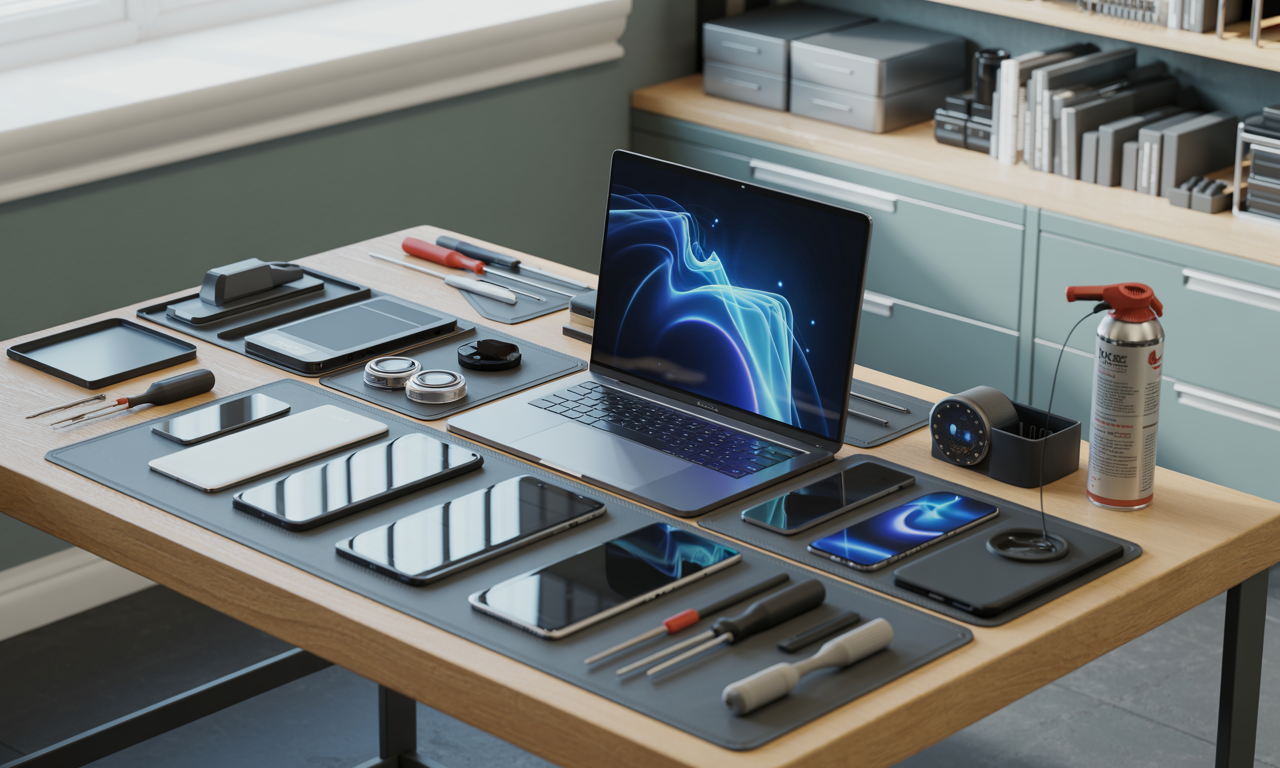
In every household, gadgets have become allies in daily life, whether it’s an Apple smartphone tucked away in a pocket, a Samsung smart TV lighting up the evening, or a trusty Dell laptop ready for work and play. But behind glossy screens and seamless performance lies a silent demand: proper care. In 2025, even as device technology advances, the fundamentals of gadget maintenance remain unchanged and more relevant than ever. Neglecting basic upkeep can quickly lead to a parade of problems, from sticky keys and lagging performance to sudden shutdowns and, ultimately, early replacements. Through a few well-chosen habits, however, anyone can ensure their gadgets, from the latest Microsoft Surface to a classic Lenovo notebook, remain reliable partners for the long haul.
Essential Cleaning Routines for Every Tech User
Keeping a gadget in pristine condition starts with regular, gentle cleaning. Every swipe, click, and touch leaves a mark, sometimes on the screen, other times hidden in ports and crevices. Devices by Apple, LG, and HP benefit tremendously from routine dust and debris removal, especially as 2025 sees ever-slimmer builds and complex port designs. Prevention is simple and requires only a few minutes with the right tools.
- Use a microfiber cloth for daily fingerprint wipes, especially on screens and cameras.
- Avoid direct sprays: Never apply liquid cleaners straight to devices; always spritz the cloth first.
- Compressed air safely clears out keyboards and inside ports, ideal for brands like Asus and Sony.
- Sanitize wisely: Isopropyl alcohol (at least 70%) is best for disinfecting surfaces, but avoid harsh chemicals.
Sticking to these steps not only makes gadgets sparkle, but it also fends off the silent creep of grime that can threaten performance.
How Food and Drinks Impact Device Longevity
Stories abound of spilled coffee on a beloved Lenovo keyboard or crumbs jamming the touchpad of a Google tablet. Eating and drinking near technology may seem harmless, until it isn’t. Liquid can short-circuit delicate circuitry, and food debris breeds unseen bacteria and disrupts mechanisms.
- Designate a device-free eating zone around notebooks, laptops, and tablets.
- Spot clean spills immediately by powering down and delicately patting dry with absorbent towels.
- Inspect ports and edges weekly; a quick brush can save mounting repair costs.
For those who treat their workspace with a little extra care, gadgets from HP to Apple retain both function and flair across years of use.
Prolonging Device Lifespan Through Smart Maintenance
Tomorrow’s tech may boast smarter chips, but regular maintenance habits are what give any gadget, be it Samsung, Dell, or LG, staying power. Beyond cleaning, a holistic approach to device health pays dividends in fewer breakdowns and reduced e-waste.
- Install updates promptly: Security and performance patches are vital, especially for Microsoft and Google devices.
- Monitor storage: Freeing space prevents sluggishness; use built-in tools for managed cleanups.
- Avoid extreme heat/cold: Temperature swings can permanently damage internal batteries, notably in Asus laptops and Sony cameras.
- Power cycle appropriately: Turning gadgets off overnight helps preserve longevity.
Simple mindfulness now ensures your favorite tech remains as responsive and dependable as the day it was unboxed.
Simple Software Habits That Make a Difference
Physical care is half the battle; digital tidiness plays an equal role. Many underestimate just how much background clutter, unused apps, outdated firmware, can sabotage devices from HP to Google phones.
- Automate system backups: Safeguard precious data from unexpected losses.
- Regularly check app permissions: Avoid rogue processes draining your battery or leaking privacy.
- Uninstall unused apps: Lighten the load on your storage, particularly on portable gadgets with limited capacity.
By maintaining software hygiene, every brand, from Apple to Lenovo, rewards you with streamlined, secure performance.
Recommended Accessories That Protect and Prolong
Accessorizing goes well beyond looks: the right add-ons insulate tech from the everyday hazards of 2025. Whether you’re shielding a Samsung phone with a tempered glass protector or cradling a Sony camera in a weatherproof bag, these investments can make a world of difference.
- Shockproof cases ward off accidental drops for phones and tablets.
- Screen protectors guard against scratches, especially vital for premium devices like Apple and LG.
- Bags with padded compartments keep laptops from Dell, Asus, or HP safe on the move.
- Cable organizers minimize wear-and-tear on charging accessories.
Every accessory added is a layer of insurance, extending the story of your gadgets well into the future.
The Costs of Neglect Versus the Benefits of Prevention
Anecdotes and repair shop tales repeat a simple lesson: what’s ignored today grows into tomorrow’s headache. Early warning signs, like battery swelling in Microsoft tablets or overheating in ultraportable Lenovo laptops, are often masked by daily rush, but the price of neglect soon adds up.
- Regular cleaning saves hundreds in potential repairs.
- Consistent software updates ward off costly malware fixes.
- Protective accessories can prevent catastrophic screen breaks.
Ultimately, the balance between care and neglect decides who enjoys flawless, fast tech, and who lines up at the repair center.